“TOTO CONNECT PUBLIC” Support | Help
Language
1. User Requirements
Do I have to provide any user information in order to use this service?
No, our service does not collect any personal information that could be used to identify individual users.
Where is this service available?
The service is accessible in buildings or facilities where it has been installed.
It can be accessed through signage within the building or via a URL provided on the facility's website.
– The above is only one possible sign design. Available features and information vary by location.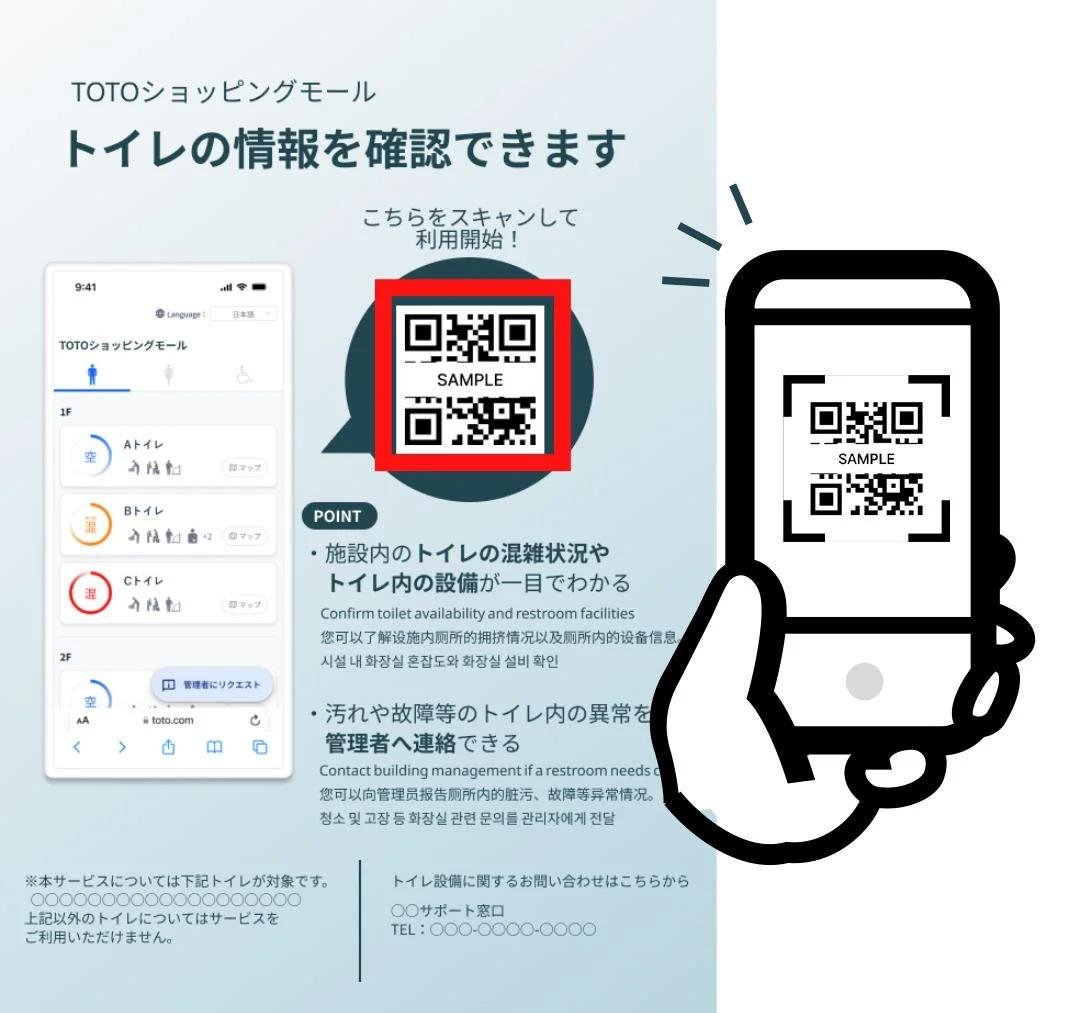
What are the system requirements for the user's device?
Any smartphone that has one of the following Web browsers can access the service.
- Safari (Apple iOS Safari version 18.4 or later)
- Google Chrome (Android OS Google Chrome version 135.0 or later)
(The service may work on other browser versions than those shown above. However, those browser versions are not officially supported.)
Can I access the service on any device aside from a smartphone?
It may be possible, but the service was not specifically designed for use on other devices.
Does it cost to use this service?
No, the service is free to use. However, users are responsible for any mobile data or related charges incurred on their device while using the service.
Is user registration or login required?
No, neither is required.
2. Connection, Settings and Features
I’m unable to access the service. What could be the reason?
The issue may be due to one of the following reasons:
- Poor signal reception at your location
- Data-limit slowdowns imposed by your mobile carrier company
- Use of an old OS version
- Use of a device which does not support its currently installed OS
- Signal sending/receipt functionality is turned off
- Insufficient remaining storage space on your device
- Inability to successfully scan the label due to damage/tearing
I cannot scan the label successfully using my device.
The label may be dirty, damaged or torn.
Please report this to the building's customer service contact.
What do the different occupancy information indicators mean?
Occupancy is determined using toilet-seat sensor readings that detect whether a toilet is in use. The meanings are as follows:
Available: 0% to 50% of stalls are occupied
Partially Occupied: 50% to 80% of stalls are occupied
Full: 80% to 100% of stalls are occupied
Note: displayed information and actual conditions may differ
The occupancy status showed "Available," but when I arrived at the restroom, all stalls were occupied. What is the reason for this?
Occupancy is determined by toilet-seat sensor readings that detect whether a toilet is in use.
It is possible that individuals were in the stalls but not seated on the toilet, or that others entered the stall after you checked the occupancy status as "Available."
I am unable to view occupancy information for wheelchair-accessible restrooms.
Unfortunately, occupancy information is not available for wheelchair-accessible restrooms.
What happens after I send a request?
The building's manager, cleaning staff and/or other such personnel will receive the request.
After reviewing your request, they will check onsite conditions during their routine rounds and take any necessary action.
Please be aware that each facility may handle requests differently.
お気に入りに保存しました